Branded IDE · Officeless platform
VS Code Insiders with every Code Intelligence plugin built in
Officeless Insider ships the full Code Intelligence extension stack — agent, guardrails, and MCP — with no Marketplace clutter. Plugins are locked but updatable from the platform releases API.
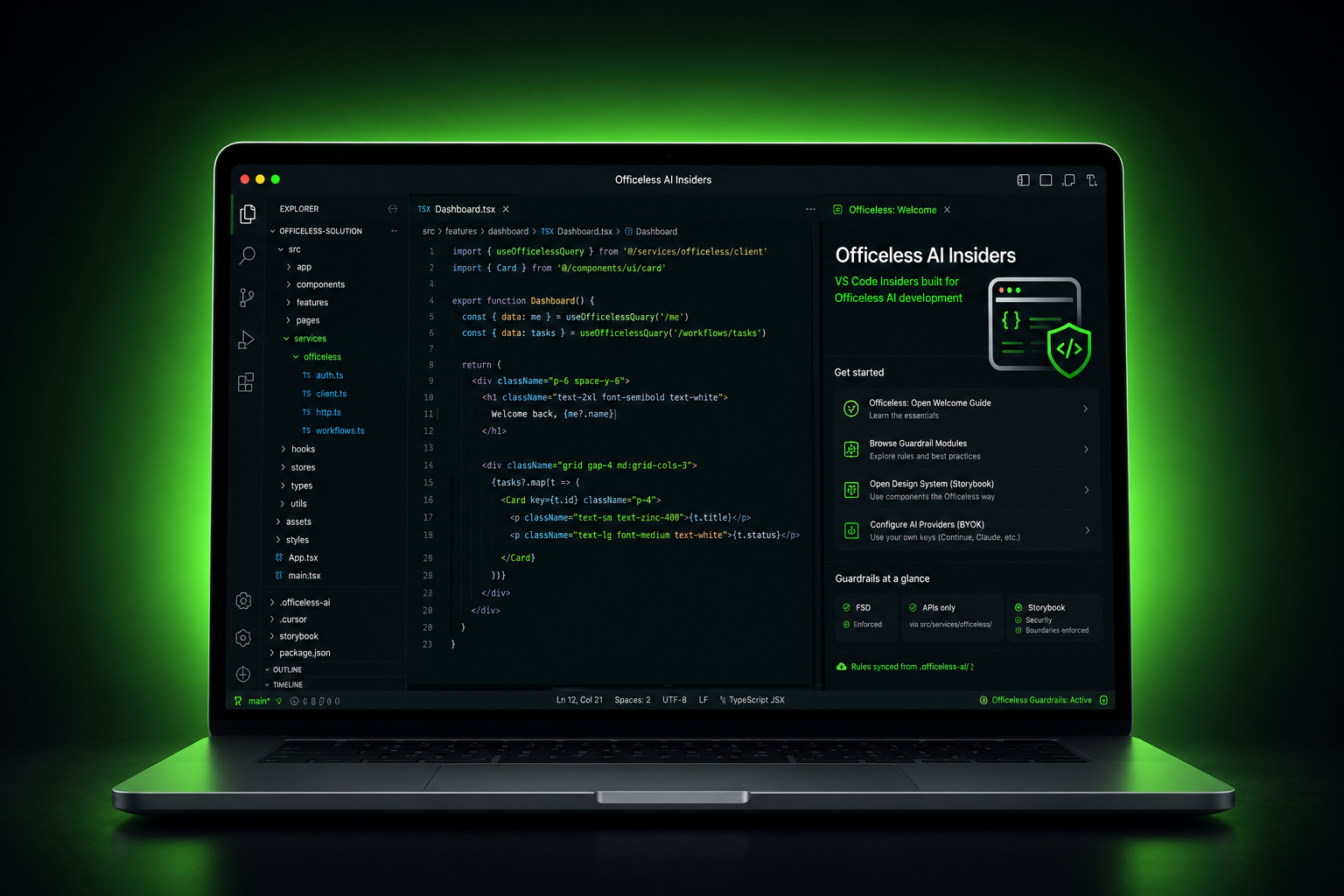
The Insider difference
One focused IDE for Officeless teams — not a generic VS Code plus Marketplace extras.
-
Code Intelligence only
All 11 platform VSIX packs from code-intelligence.vas.mekari.com are embedded at build time using the latest stable release.
-
Locked, not removable
Built-in plugins cannot be uninstalled — every Insider install stays aligned with Mekari guardrails. Update via Officeless: Check for Extension Updates when new VSIX builds ship.
-
Welcome walkthrough
First launch opens the step-by-step Officeless welcome — connect MCP, browse guardrails, sync
.officeless-ai/into your repo. Styled to match the platform marketing site. -
macOS & Windows
Universal macOS DMG and Windows installers. Pair with the Code Intelligence macOS bridge for Apple Intelligence on localhost
:8765.
Built-in plugins
Same catalog as Code Intelligence — pre-installed in Insider, optional VSIX install on standard VS Code.
Publisher: mekari-vas (aligned with *.vas.mekari.com).
| Extension ID | Role |
|---|---|
mekari-vas.officeless-code-intelligence |
Sidebar chat, agent tools, inline completion |
mekari-vas.officeless-ai-context |
Hub — welcome walkthrough, guardrail catalog, AI setup |
mekari-vas.officeless-mcp |
Mekari IAM OAuth → Officeless MCP gateway |
mekari-vas.officeless-guardrails-* |
Eight guardrail modules (global, platform, frontend, design system, prompts, roles, models, CIMB) |
Download VSIX from code-intelligence.vas.mekari.com/download/vscode or run Officeless: Check for Extension Updates inside Insider. On standard VS Code: Extensions → ⋯ → Install from VSIX…
-
Embedded guardrails
Eight built-in extension modules mirror the
ai-context/library: global rules, platform APIs, frontend, design system, prompts, roles, BYOK models, and CIMB advisor packs. -
Welcome & walkthrough
In-IDE guide: Officeless: Open Welcome Guide, step-by-step walkthrough on the Welcome page, and per-module guardrail browsers from the Command Palette.
-
BYOK via Code Intelligence
Configure providers through the Code Intelligence extension and macOS bridge — Alibaba Token Plan, Ollama, or Apple Intelligence. No bundled Copilot or third-party Marketplace packs.
-
Project sync
Copy rules into any repo as
.officeless-ai/, Cursor rules, Continue config, and Copilot instructions — one command from the guardrail kit. -
Service-layer discipline
AI is steered toward
src/services/officeless/for HTTP, Storybook for UI, and human-reviewed tests before handover. -
macOS installer
Drag-and-drop
.dmgdistribution. Open the disk image, move Officeless AI Insiders to Applications, then eject.
Guardrails
Markdown rules bundled with the IDE constrain AI output so it stays aligned with FSD, documented APIs, and Mekari security standards.
To implement guardrails in your current repo from inside the IDE:
Command Palette → Officeless: Apply Guardrails to This Project.
This writes .officeless-ai/ plus tool configs (Cursor / Copilot / Continue) into
the open workspace folder.
| Module | Focus |
|---|---|
| Global | System context, AI boundaries, security, dev/test/release rules |
| Platform | Officeless API integration, auth, workflows, embedded UI |
| Design system | Storybook components and theming — no random UI libraries |
| Frontend | React, TypeScript, services, state, error handling |
| Prompts | Generate, review, refactor, validate, Gen1 assessment templates |
| Roles | Architect, QA, solution engineer, CIMB assessment advisor |
| Models (BYOK) | Per-provider notes for Cursor, Claude, OpenAI, Gemini, and more |
| CIMB advisor | Officeless Gen1 assessment knowledge and advisor skill pack |
AI boundaries (summary)
Allowed
- Officeless custom frontend and dashboards
- API service wrappers under
src/services/officeless/ - Design-system UI, tests, Storybook
Not allowed
- Custom auth replacement or direct database access
- Undocumented APIs, production secrets, real customer data
- Workflow bypass or unapproved UI libraries
Quick start
Install the IDE, sync guardrails into your repo, and configure BYOK. Full step-by-step instructions are on the guides page.
-
Download the latest macOS
.dmgbelow and install Officeless AI Insiders to Applications. - Open your Officeless project and run the in-IDE walkthrough (Help → Welcome).
- Configure AI via the Code Intelligence extension and optional macOS bridge. See AI setup in the guides.
-
Implement guardrails in your repo from the IDE:
Officeless: Apply Guardrails to This Project.
Alternative (CLI):
npm run sync-context -- --target … --all-toolsfrom{" "}officeless-code-intelligence.
Download
Latest builds for macOS and Windows.
macOS
Universal · Intel + Apple Silicon
Resolving latest release…
DownloadWindows
Setup EXE · 64-bit
Available soon
Download Setup EXEInstall the IDE
-
macOS: download the
.dmg, open it, drag Officeless AI Insiders to Applications, then eject. -
Windows: run the
Setup EXEfor a per-user install, or download the portableZIPand launch Officeless AI Insiders.exe. - Launch from Applications (macOS) or the Start menu / extracted folder (Windows). See the user guides for first-launch steps.
IDE installers below; plugin VSIX and macOS bridge downloads live on code-intelligence.vas.mekari.com/download/vscode (VSIX) and /download/macos. Release times use your browser's local timezone.